Features
Built for serious collectors
A full breakdown of what Archivium offers — from flexible collection types at the core to the day-to-day tools that keep growing collections under control.
How it works
A type for every kind of collection
Archivium doesn't force every collection into the same mould. Each collection type has its own set of details — the fields that actually matter for what you collect, and how they're shown on the page.
Ready-made types cover the most popular collectibles. Want something different? On the Curator plan, extend any of them and build one fully custom type from scratch — Archivist removes the limit entirely, with unlimited custom types. A marketplace for sharing custom types with other collectors is coming next.
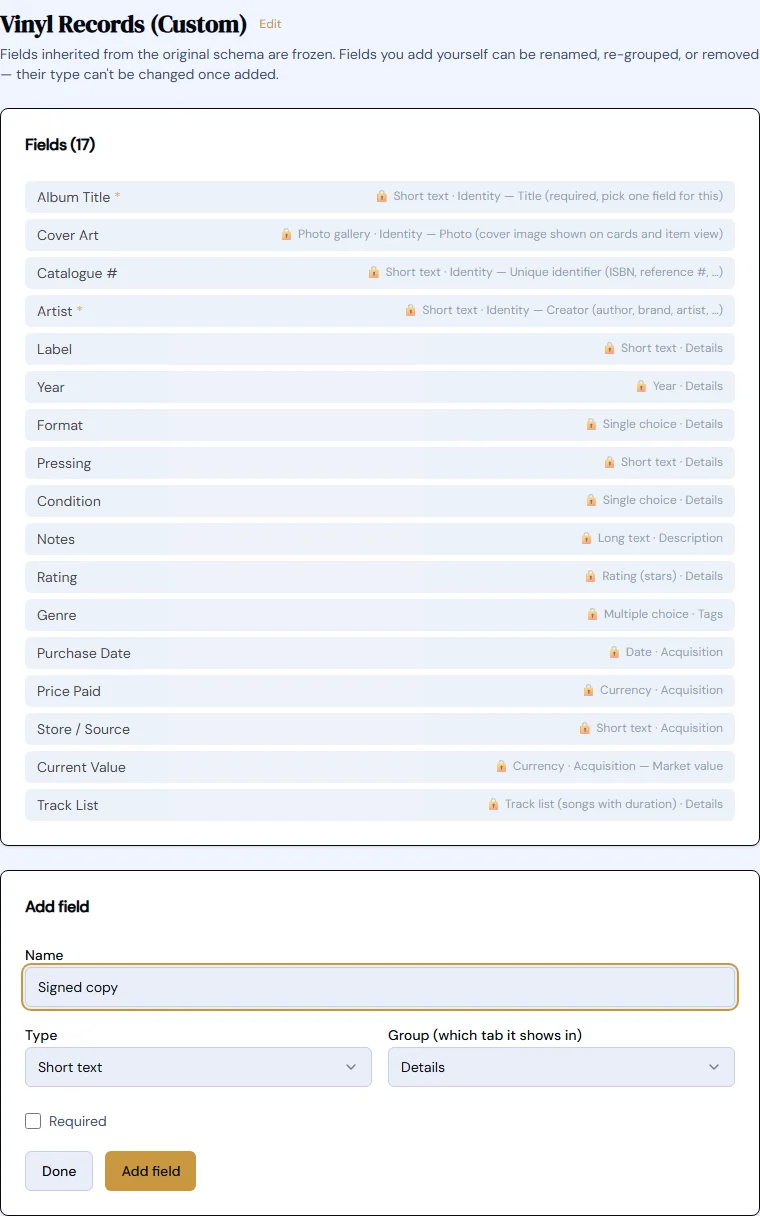
Real collections
A custom type, fully at home
Once you've built a type — Whisky, Pewter, anything at all — it works exactly like a built-in one: its own browse grid, its own item view, any theme you like.
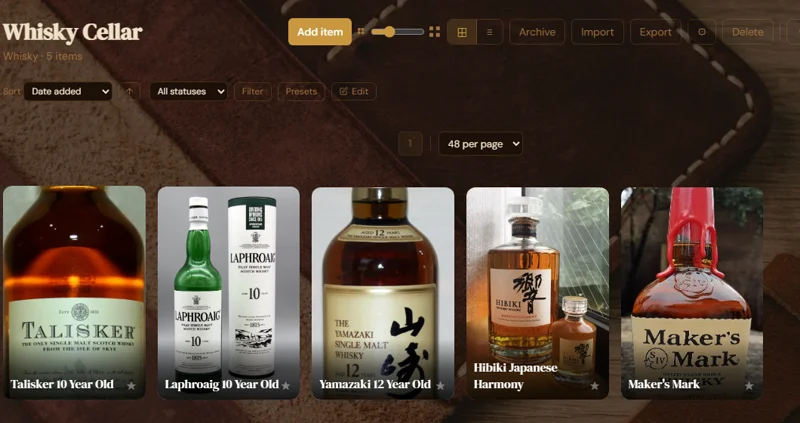
Whisky — browsed like any built-in type
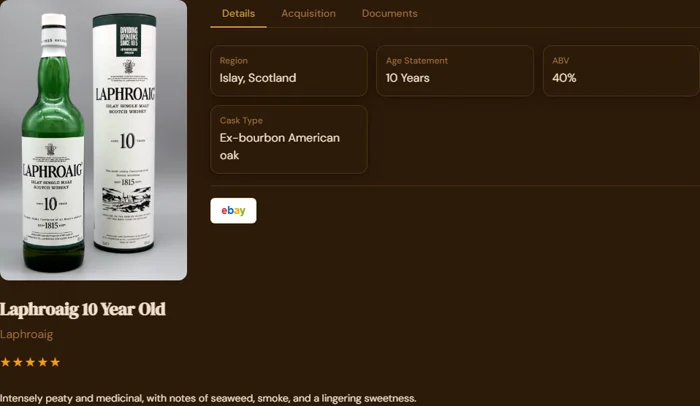
Its own fields: Region, Age Statement, ABV, Cask Type
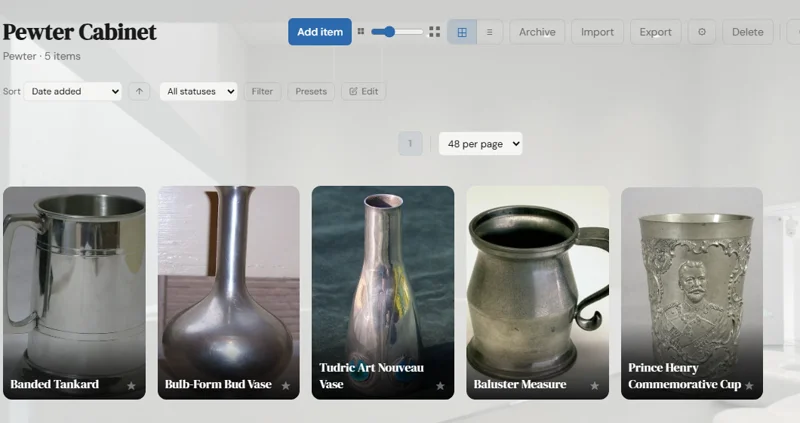
Pewter — a completely different kind of collection
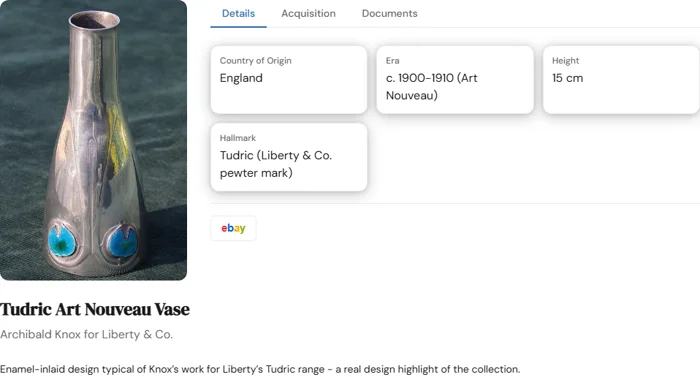
Its own fields: Country of Origin, Era, Height, Hallmark
Visual identity
Themes that transform your collection
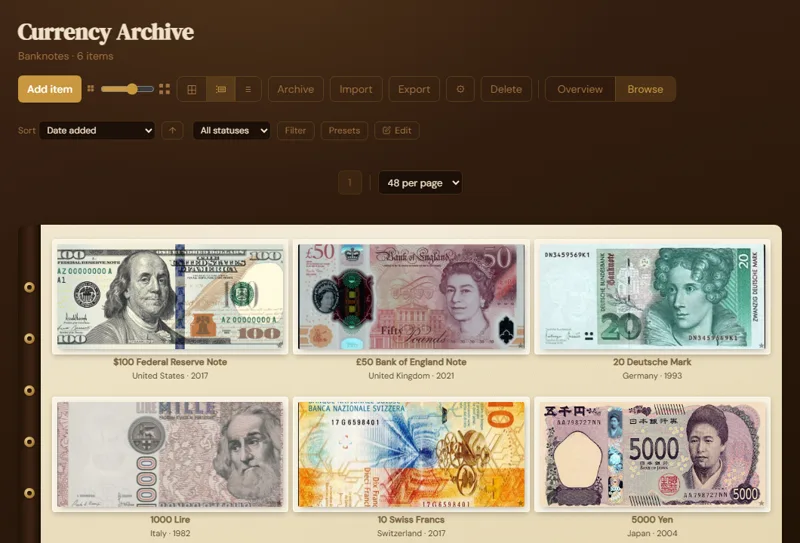
Each collection gets its own visual environment. Themes are complete makeovers — colours, typography, background imagery, card styles, and layout, all at once. They're ready to use the moment you pick one — no design or coding skills required.
Even the header quietly adapts to match whichever collection you're browsing, so the whole experience feels like one continuous, immersive space.
Organise at scale
Museum-style Rooms for bigger collections
Archivium already works like a museum — your Dashboard is the museum, each collection a gallery. Rooms add the third level: split a large collection into rooms by era, geography, or theme, the way a real gallery does. Every Room shares its collection's type and theme, so browsing one looks and feels exactly like browsing any other collection — most collection apps have nothing like it.
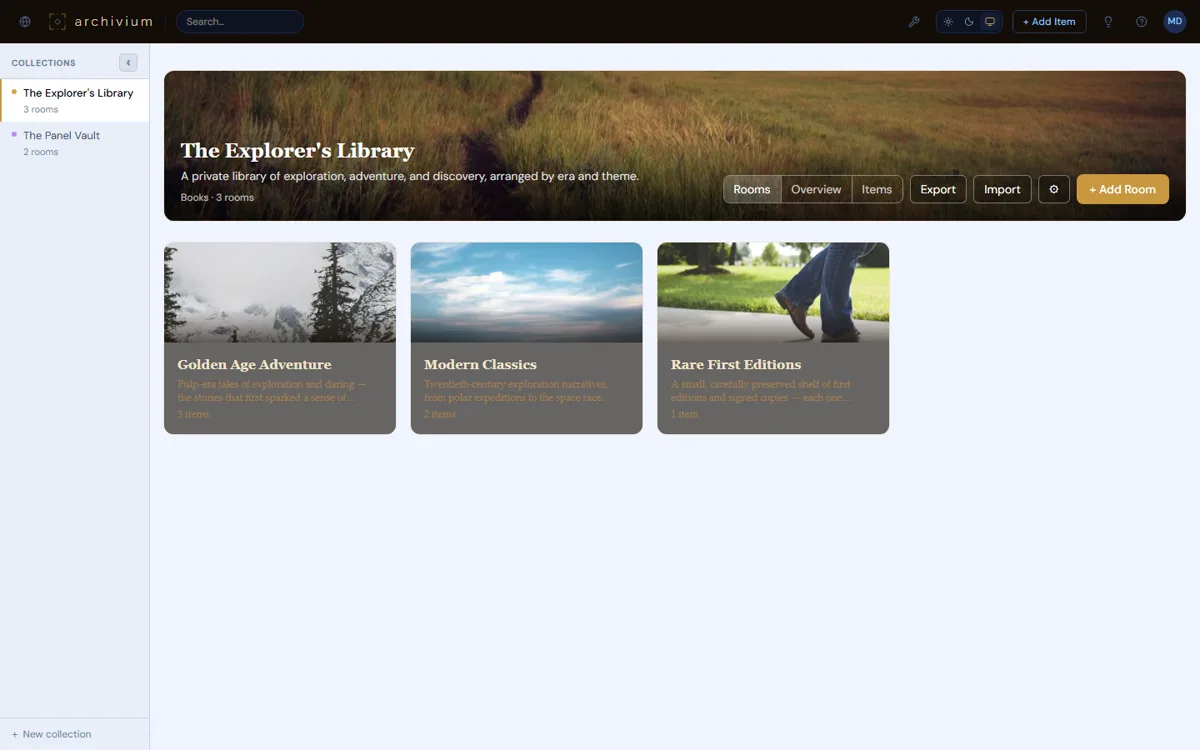
A collection split into Rooms, each with its own cover and description
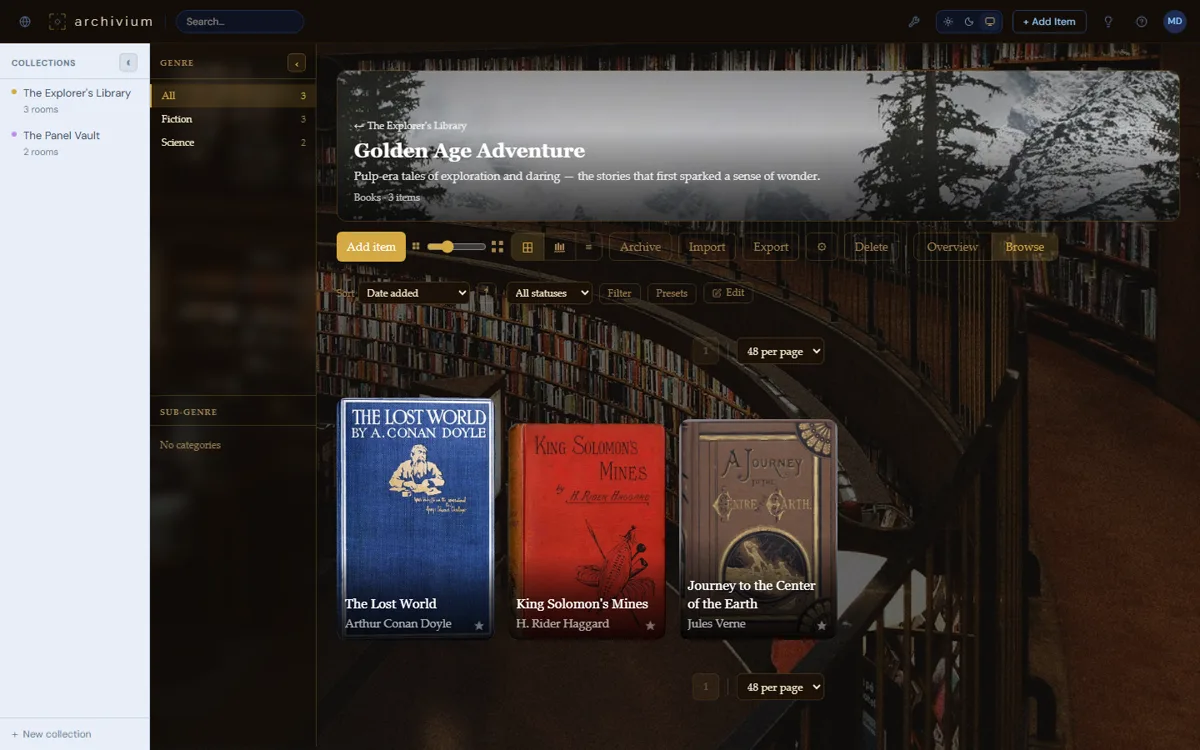
Open a Room — it browses exactly like any collection
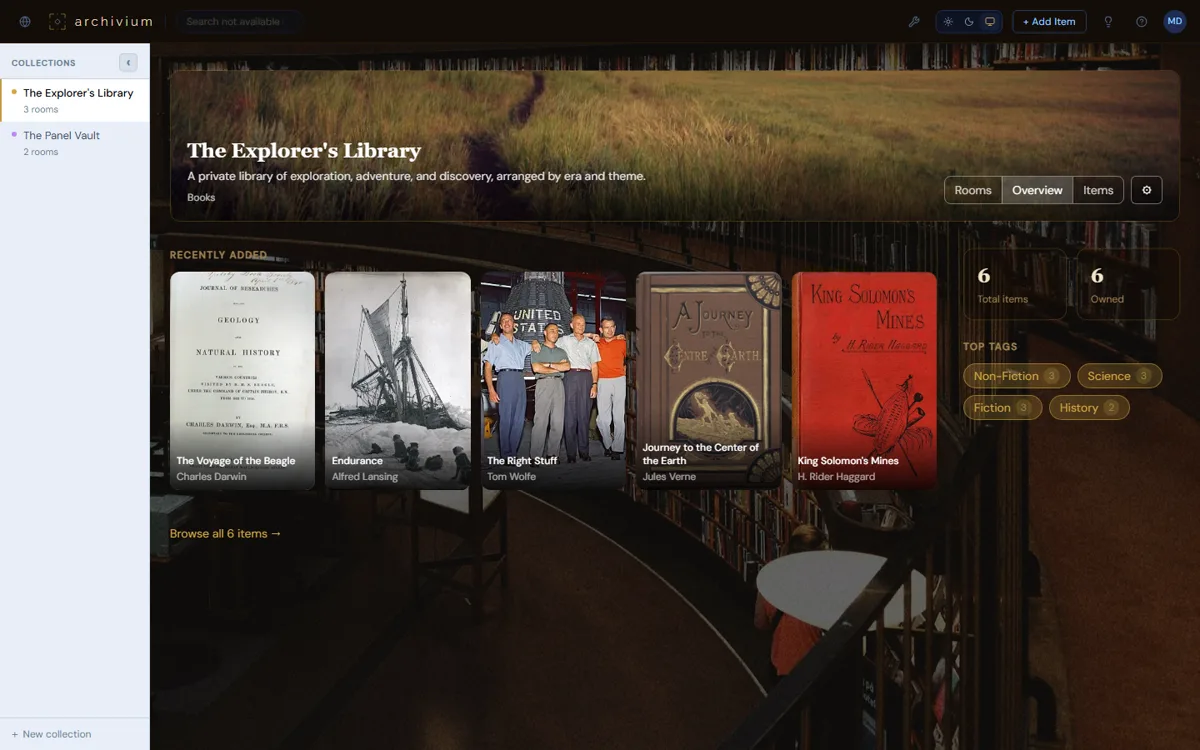
Stats and tags aggregated across every Room
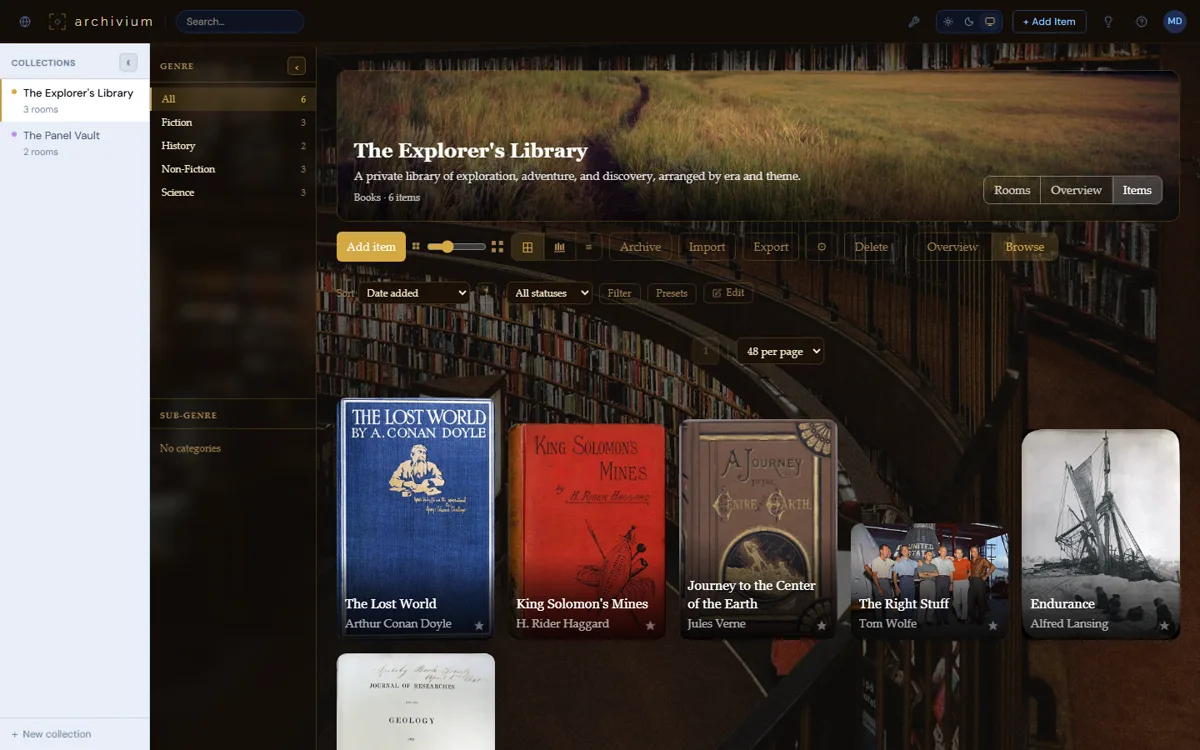
Or flatten every Room into one searchable list
Ready-made types
Ready for the most popular collections
Archivium comes ready to catalogue the collections people love most — with the same flexibility available to anyone creating a new type of their own.
| Collection | How it's identified | What you can track |
|---|---|---|
| 📚 Books | ISBN | Title, Author, Publisher, Year, Format, Condition, Genre, Reading status |
| 📓 Comics | Issue number | Series, Writer, Artist, Publisher, Year, Condition, Grade |
| 🎵 Vinyl Records | Catalogue number | Album, Artist, Label, Year, Format (LP/EP/Single), Condition, Genre, Track listing |
| ⌚ Watches | Reference number | Model, Brand, Year, Movement type, Case diameter, Material, Condition |
| 🪶 Fountain Pens | — | Model, Brand, Nib size & material, Body material, Filling mechanism, Condition |
| 📮 Stamps | Scott / SG / Michel # | Country, Year issued, Denomination, Condition, Centering, Gum condition |
| 🪙 Coins | KM (Krause-Mishler) # | Country, Denomination, Year, Mint, Metal, Weight, Diameter, Grade |
| 💵 Banknotes | Pick # | Country, Denomination, Year, Series, Printer, Grade, Grading service |
Organisation tools
The toolkit for growing collections
Search
Search across every field in your collection, with results updating as you type. No separate search page — just start typing.
Barcode scanning
Scan a barcode from the search bar to check if it's already in your collection — if not, Archivium searches Books, Comics, and Vinyl for it automatically and offers to add it, pre-filled. For bigger hauls, scan a stack into your Scan Queue and review and add them properly later, on any device.
AI photo identify
For Watches, Fountain Pens, Stamps, Coins, and Banknotes — the types with nothing to scan — snap or upload a photo and Claude reads back whatever it can confidently identify, ready to review and apply. Also steps in for Books and Comics whenever no ISBN or barcode is at hand.
Sort & filter
Sort by any field — title, date added, last updated, or anything specific to your collection type. Filter by text, category, range, rating, yes/no, or date, and save your favourite combinations as a preset to reuse any time. Active filters shown as chips you can dismiss with a click. Sorting by title, choose whether "The Road" sorts under T or R — recognised in English, French, German, Italian, and Spanish.
Pagination
Browse in pages of 48 items at a time, with a simple Load More button — no endless scroll. Your place is remembered when you come back from viewing an item.
Bulk operations
Select several items at once to archive, restore, or permanently delete them together. Rename a person across every item in one move — fix "J. Tolkien" everywhere at once instead of item by item. A quick Undo appears for a few seconds after any bulk archive, just in case.
Import
Bring in your collection from other apps (Books and Comics), a spreadsheet, another Archivium account, or FileMaker (Fountain Pens) — or look up a record straight from Discogs by catalogue number for Vinyl, track listing included. Duplicates are detected automatically, and existing details are never overwritten.
Export
Export to a spreadsheet, a zip of your photos, or a polished PDF list or catalogue. Every format matches exactly what you're currently viewing — search and filters included.
Photo galleries
Up to 4 photos per item, with front and back cover toggling for books and comics. One featured photo drives the card, the item page, and every theme. Sharp thumbnails are generated automatically. Crop with a preset shape or draw your own.
Document vault
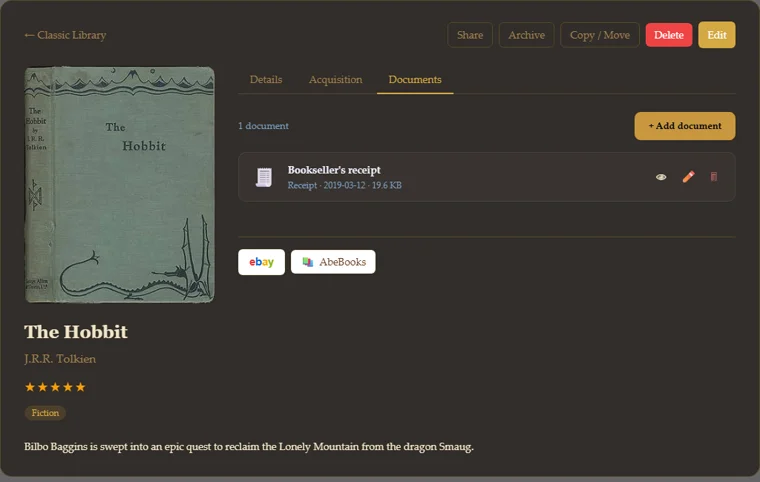
Securely store receipts, certificates of authenticity, insurance appraisals, service records, and provenance documents alongside each item. Only you can see them — never publicly accessible.
Collection Plan
A written Markdown document for the reasoning behind a collection — why it exists, how it's organised, what to look for next — separate from the facts you track item by item. Mention an item and it becomes a live status chip, linked both ways. Version history with one-click restore, and a clean Print view. For a collection of Rooms, it reads as one continuous document across every Room.
Backup
Download a backup any time, or store one safely in the cloud. Set it and forget it with automatic daily, weekly, or monthly backups. Restoring brings back everything, documents included.
Toolbox
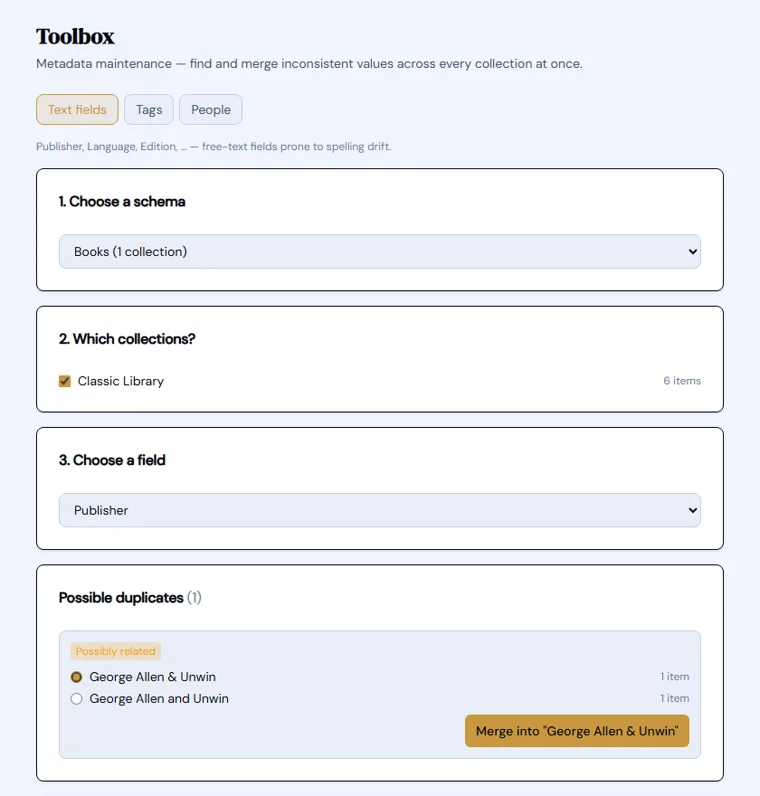
Find and merge inconsistent values across an entire collection at once — fix spelling drift in publishers, tags, or author names in a few clicks instead of item by item.
Marketplace links
One click from any item to eBay, AbeBooks, Chrono24, or Discogs — pre-filled with its title and details, so checking current value or finding another copy takes seconds.
Your language
Archivium speaks English, French, German, Italian, and Spanish, with more of the app being translated all the time. Switch any time from your account settings.
Stay tidy
Fix spelling drift in one click
"J. Tolkien" in one item, "J.R.R. Tolkien" in another — the Toolbox finds inconsistent values across every collection built on the same type at once, not just the one where you spotted it.
Beyond the basics
Every item remembers more than its name
A receipt, a certificate of authenticity, an appraisal — the document vault keeps them attached to the item they belong to, private and never publicly accessible. Right below it, one-click search buttons check current value or find another copy, on eBay, AbeBooks, Chrono24, or Discogs.
Ready to catalogue your collection?
Get started free. No credit card required.